
THANK YOU FOR SUBSCRIBING
× 
Construction Tech Review Weekly Brief
Be first to read the latest tech news, Industry Leader's Insights, and CIO interviews of medium and large enterprises exclusively from Construction Tech Review


 Christopher Wendt, Vice President of Technology Solutions
The solution became the Field Integrated Time (FIT) System. Its development has continued along the same lines. Contractors bring Syscon problems from their daily work, and the platform evolves around those needs.
“Every single feature that the FIT system has, it’s been built based on client requests,” says Christopher Wendt, Vice President of Technology Solutions at Syscon.
Making Field Data Easier to Capture
FIT is designed around the information each construction company actually needs. One contractor may require a work order when an employee enters hours, another may make it optional and a third may not display the field at all. The platform also automates information that can be calculated, reducing manual selections.
During implementation, Syscon works with contractors to simplify workflows. A company may identify 20 pieces of information it wants to collect, but the team can help reduce that to four or five inputs for the field worker while still capturing what the business needs. The interface has also been refined through years of feedback from construction workers, including employees who are not comfortable with technology.
FIT uses a small set of standardized roles such as field labor, supervisor, approver and view-only, avoiding dozens of individual permission settings and making access easier to manage.
Keeping Field and Back-Office Data Connected
FIT integrates with Sage 100 Contractor so field workers can access current jobs and valid cost codes. Closed jobs can be removed from selection, while the integration prevents users from entering cost codes that do not exist in Sage. The connection reduces duplicate entry and improves data accuracy.
Optional GPS time punches record when and where employees clock in or out. FIT keeps those punches separate from payroll and job-cost allocation, allowing managers to compare punch activity with submitted hours and investigate exceptions.
Visibility includes daily field reports, which can capture work descriptions, incidents, subcontractors, equipment use and photographs. Scheduled jobs can appear during time entry, while entered hours can flow into daily field reports, reducing repeated data entry.
Customers can handle time, expenses, daily field reports and scheduling within one connected application, reducing the need to roll out separate field apps.
-
Every single feature that the FIT system has, it’s been built based on client requests.
Customers can handle time, expenses, daily field reports and scheduling within one connected application, reducing the need to roll out separate field apps.
Built Around How Contractors Actually Work
FIT supports both simple workflow and a highly customized one. Syscon creates custom fields, imports rules and forms that reflect specific contractor requirements. Rules can automate compensation calculations based on combinations of employee, pay group and cost-code information. Custom pages can also support job-completion forms, employee evaluations and recurring field requirements.
Syscon’s broader construction-technology perspective means FIT is implemented within the context of a contractor’s wider systems and processes, not as an isolated time-tracking application. The company works with contractors on Sage 100 Contractor, reporting, automation, IT and cybersecurity.
Customers have reported saving four to eight hours previously spent entering time cards. One contractor eliminated a weekly four-hour round trip made by a project manager solely to deliver paperwork to the office. Customers have also reported that employees expected to struggle with technology picked up FIT quickly.
The feedback points to a consistent theme in FIT’s development. Contractors are not simply given a fixed field application and expected to adapt their processes around it. Their requirements help shape the workflows, rules and capabilities Syscon continues to develop. The result is a system that can remain simple for a field worker while giving supervisors and back-office teams the information and control they need.
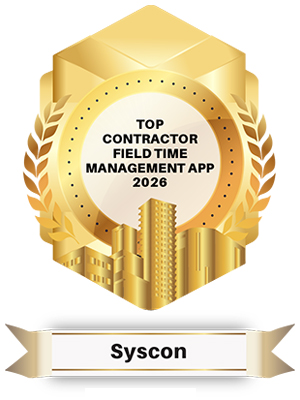
Customer-led development, deep configurability and connected field-to-office workflows have remained central to FIT since its creation. The approach has earned Syscon recognition as the Top Contractor Field Time Management App 2026 from Construction Tech Review, reflecting a platform shaped around the practical requirements contractors bring to the job.
Choosing Field Time Software for Construction Crews
Construction payroll problems can start with something as simple as a crew member charging hours to the wrong job or using an outdated cost code. Paper timecards and incorrect task entries add to the cleanup. Office staff must then track down supervisors, confirm the hours and correct records that may already affect payroll and job costing. A field time management app needs to make accurate time entry easier for crews while helping office staff catch mistakes earlier. Late corrections near the weekly cutoff leave little time for review, forcing payroll teams to delay processing or work with unconfirmed entries.
The best products keep field entry simple. Construction companies record labor differently, so a standard form may ask workers to fill in details that do not apply to their current task. Buyers should look closely at the fields workers need to complete and which ones they can skip. It is also worth checking how the available options change and whether the system can fill in some details automatically. When crews enter time on their phones, a straightforward process can do more for accuracy and adoption than a long list of features.
Manually entering field time at the office adds work that the app is meant to save. Workers may also end up using jobs or cost codes that no longer match the accounting system if the data is out of date. The app should keep job details current and catch invalid entries before they go for approval. Supervisors also need to review submissions quickly. Hours and expenses should be available early enough to fix errors before a small field mistake becomes a payroll reconciliation problem.
GPS records can be used to verify the location at which a worker clocked in, but the location alone must not determine what is included on their payroll. Buyers should check that the app stores its GPS records separately from the hours that the workers submit, since this enables reviewers to investigate any discrepancies without having to rely on location data when making payroll decisions. Field workers should have access to the details needed to enter their working time, while supervisors should have access to the information relating to the work they are responsible for.
“Syscon’s FIT system can limit field users to relevant entry fields while keeping Sage 100 Contractor job and cost-code data synchronized.”
Pay rules are not the same at every construction company. One may require a work order for each entry, while another bases pay on cost codes. The software needs to support both without making time entry more complicated for crews or permissions harder for administrators to manage. It should work with the contractor’s existing processes and keep required field entries to a minimum. Administrators also need to be able to update custom rules when crew assignments or pay practices change.
Syscon merits consideration as a premier choice for contractors that use Sage 100 Contractor and want field time collection shaped around their existing workflows. Its FIT system can limit field users to relevant entry fields while keeping Sage 100 Contractor job and cost-code data synchronized. The app supports time capture and expense capture. Optional GPS punches provide location-based review while standardized roles keep review and approval responsibilities understandable. FIT also lets contractors set up their own fields and import rules to meet specific payroll or job-cost needs without making field entry more complicated. For contractors using Sage, Syscon is a practical choice.
...Read more
Contractor Field Time Management Apps Info
Q1
What Does a Contractor Field Time Management App Help Construction Teams Manage?
An app for time management that is tailored to the needs of contractors enables construction teams to record the number of hours their employees spend on the job, link the time entries to relevant job information, and reduce the amount of repeated data entry that would otherwise be required in the office. According to the range of features it offers, the app could also be used for dealing with expenses, preparing daily reports, and managing schedules. The important thing is that the app should correspond with the company's actual way of working, so that workers are asked to supply only the information that is necessary while in the field, whereas supervisors and office staff still receive useful records.
Q2
How Does Syscon Approach Field Time Tracking for Contractors?
After two construction companies had a need for a field-time capture facility that was capable of integrating with Sage 100 Contractor and could be adjusted to fit their working methods, Syscon created its Field Integrated Time (FIT) system. The company still designs its features in response to customer requests. FIT links in the entry of field time with the current jobs and with valid cost codes, and closed jobs can be taken off the list. The example given illustrates that a field time management application for contractors must go beyond simply offering a digital timesheet; it has to make use of job and cost-code data from the back office.
Q3
Which Functions Should Field Management Software Include?
A time management app used by contractors might offer more than just the ability to clock in and clock out; it could have useful features such as entering expenses, filling in daily field reports, keeping records of equipment and subcontractors, storing photographs and handling scheduling information. Such features are important since otherwise employees or office teams would have to input the same information several times. It is still necessary to check the scope: organisations should make sure they know which functions are included, which are optional and how the records are transferred between the different apps.
Q4
How Can Time Entries Stay Connected to Job-Cost Records?
In order to achieve accurate tracking of construction times, the app must use the current project and cost-code data and discard any invalid entries. Although GPS punches can be used to record both the time and location of clock-ins, they should be examined separately from payroll calculations and the allocation of job costs. Managers should be able to compare the punch data with the hours they have submitted and look into any discrepancies. The field time management app that a contractor uses should make these relationships clear rather than mixing up the different records.
Q5
What Makes Syscon's FIT System Adaptable to Different Workflows?
Syscon includes custom fields as well as imported rules and forms that meet the requirements of contractors. Its FIT system is able to automate the calculation of compensation by combining information regarding the employee, the pay group and the cost code. The system makes use of a limited number of roles—such as field labour, supervisor, approver and view-only—instead of needing dozens of separate permission settings. These features demonstrate how a field time management application of a contractor can adapt to different processes without asking every field worker to use an unnecessarily complicated interface.
Q6
What Should Companies Evaluate Before Choosing Time-Tracking Software?
The assessment should involve testing the system against actual tasks, not merely compare feature lists. Can the workers complete an entry quickly? Is the app kept up to date with regard to the project and cost-code lists? Can managers see the exceptions without treating the GPS data as if it were payroll or job costing? Are the reports, schedules and photographs available when required? Customers have said that they have been able to save between four and eight hours previously spent on entering time cards, and in another case a customer eliminated a weekly four-hour trip which previously involved a project manager delivering paperwork. A field time management app used by contractors is most useful when it cuts down on manual tasks without sacrificing the detail that the office needs.
| Share this Article: Tweet |
Company
Syscon
Management
Christopher Wendt, Vice President of Technology Solutions
Description
Syscon develops contractor-focused technology that connects field operations with back-office processes. Its FIT system simplifies field time and expense capture, improves project visibility and integrates with Sage 100 Contractor to help construction businesses reduce manual work and improve workflow efficiency.
Top
